ailuv/Timer

VOICE-GUIDED WORKOUT TIMER
Drop the Phone. Stay in the Workout.
Built for strength, HIIT, kettlebells, boxing, and mixed circuits. Set your routine once, put your phone on the floor, and let precise voice cues handle rest intervals and exercise changes—even with your screen locked.
You bring the program. We keep the clock. Not a coach. Not a training log. Zero ads. Ever.


On Google Play and the App Store · Up to 5 workouts free · 100% local device privacy
SMART VOICE CUES & DUCKING
Hear What’s Next—Without Hijacking Your Music.
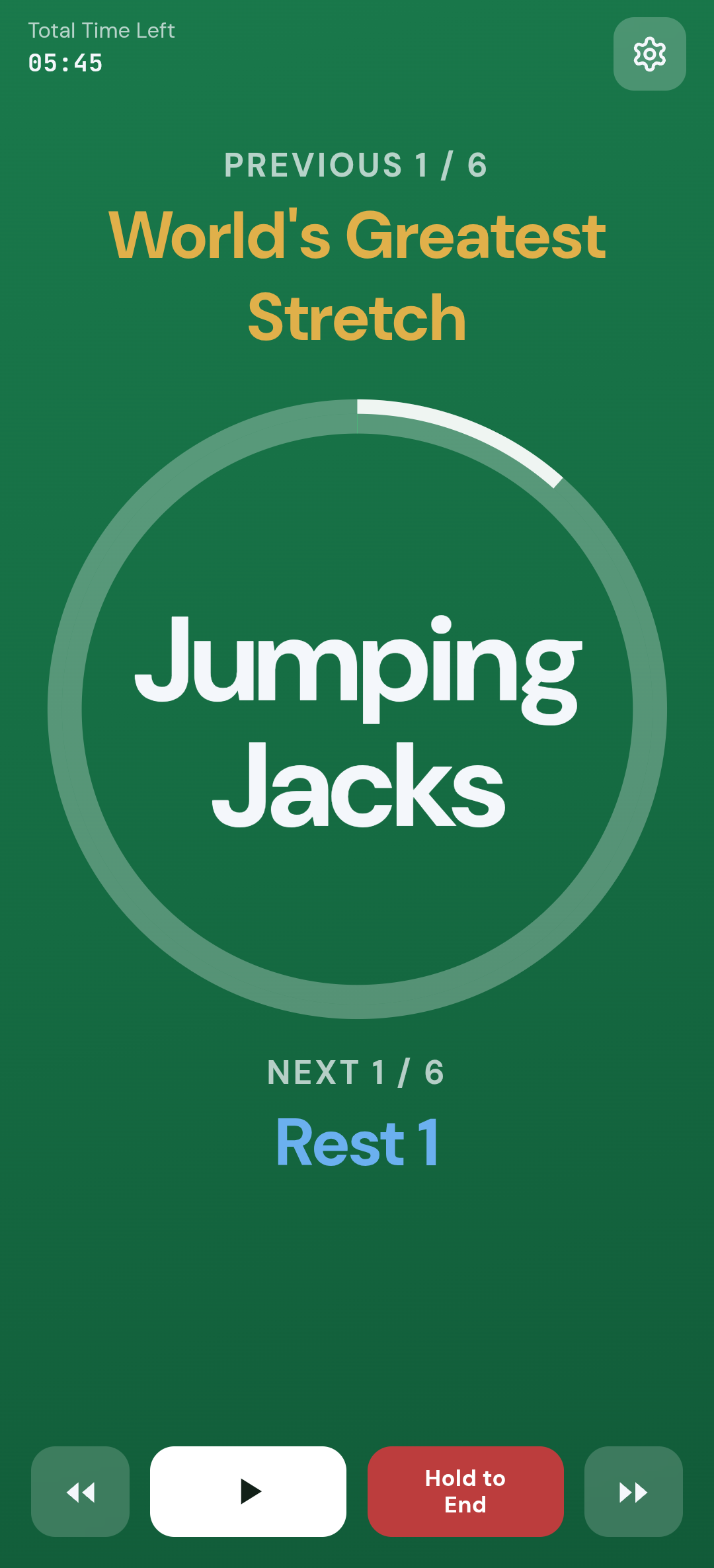
Phone on the floor, in your pocket, or locked—spoken cues announce your transitions so you never look down mid-rep.
- Custom TTS announcements. Name a set or exercise and the phone reads it aloud.
- Smart audio ducking. Cues briefly lower background music (such as Spotify or YouTube) and restore it after—without pausing the track.
- Lock-screen engine. Native background audio on iOS and a foreground service on Android so lock-screen timing is the product, not a footnote.
- Safety pause. Automatically pauses for a phone or video call, or if headphones disconnect, so sound does not jump to the speaker.
CREATE WORKOUTS IN SECONDS
Build a Workout. Zero Learning Curve.
No account. No long setup. Your first workout is a tap away.
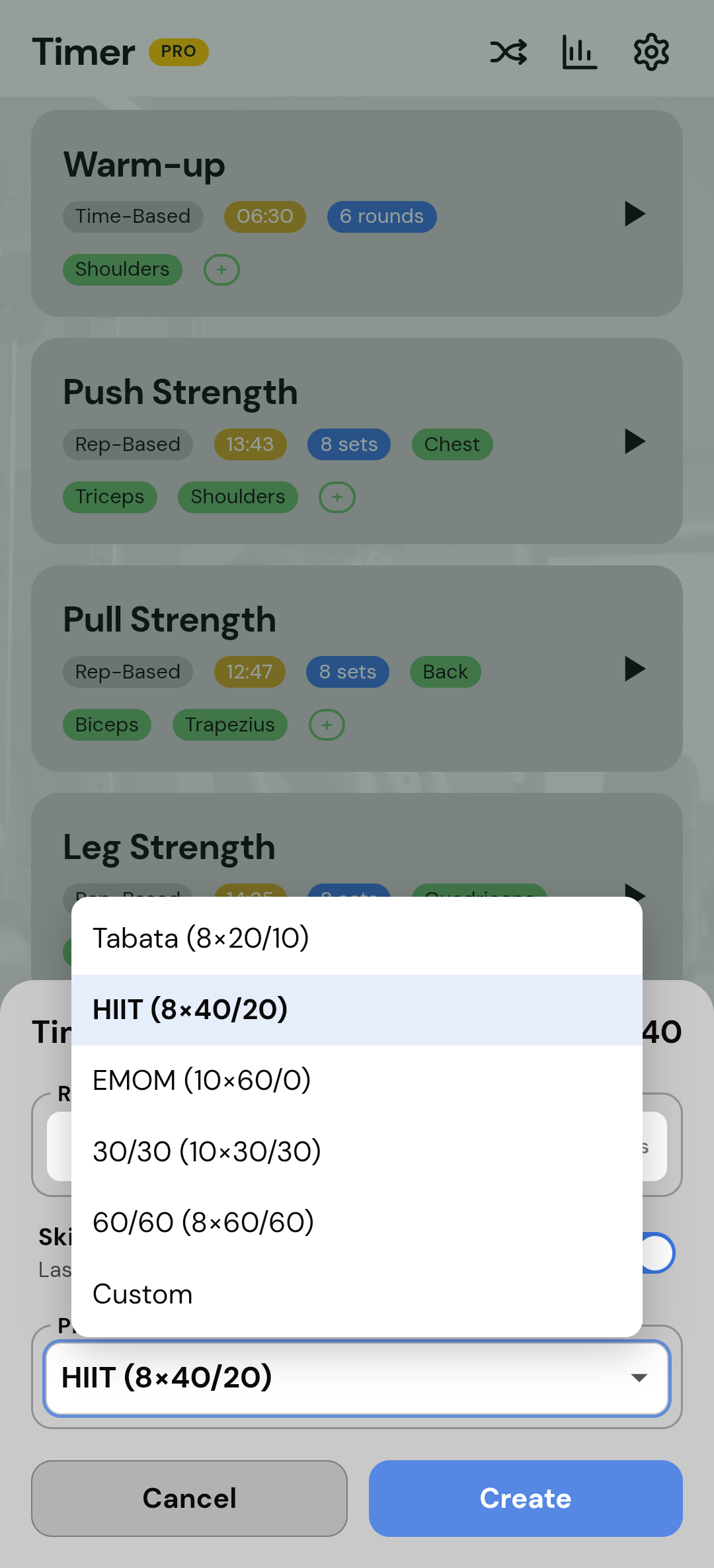
- Instant setup. Hit a preset—Tabata, HIIT, EMOM-style rounds, 30/30, 60/60—or tap in your exact structure in seconds.
- Easy editing. Name, save, duplicate, or reorder instantly. You never delete a workout just to change one number.
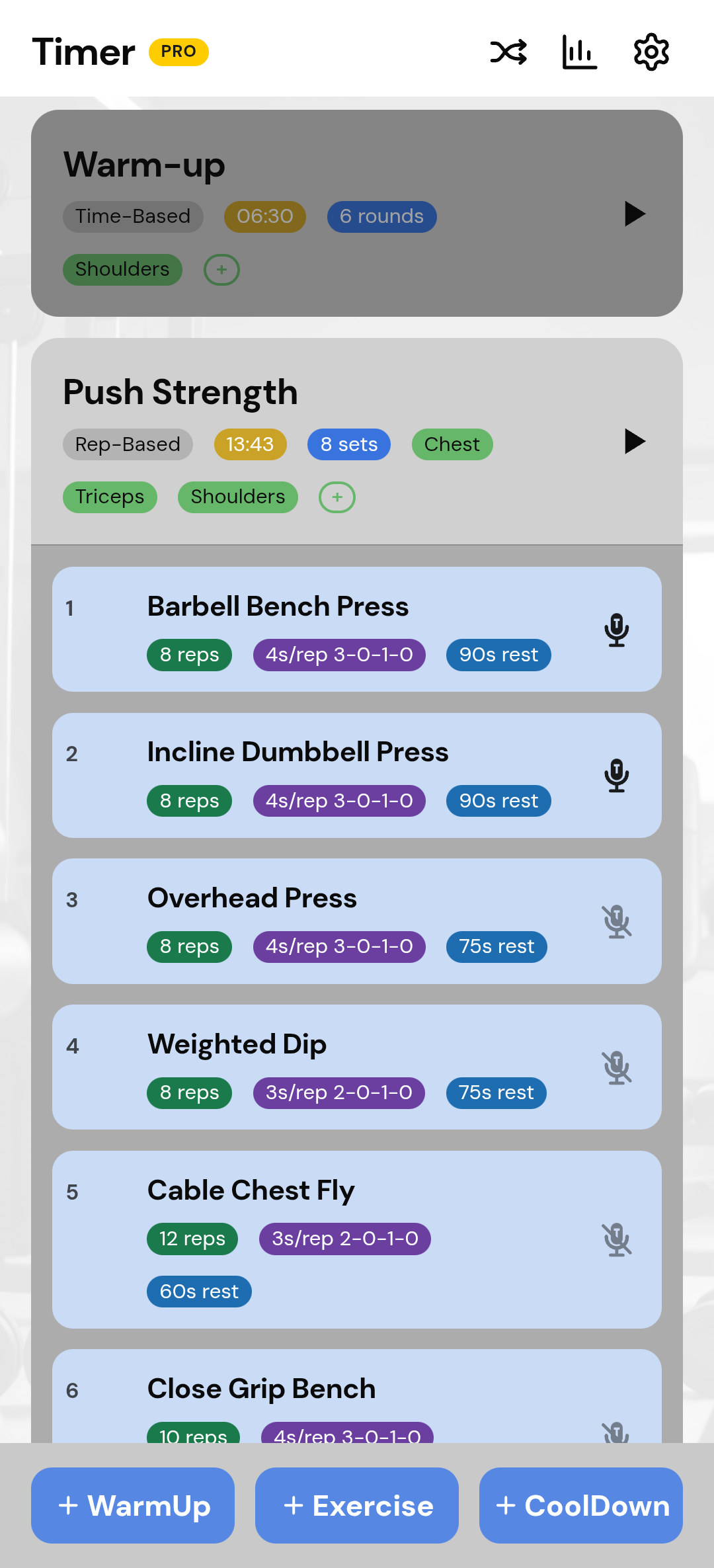
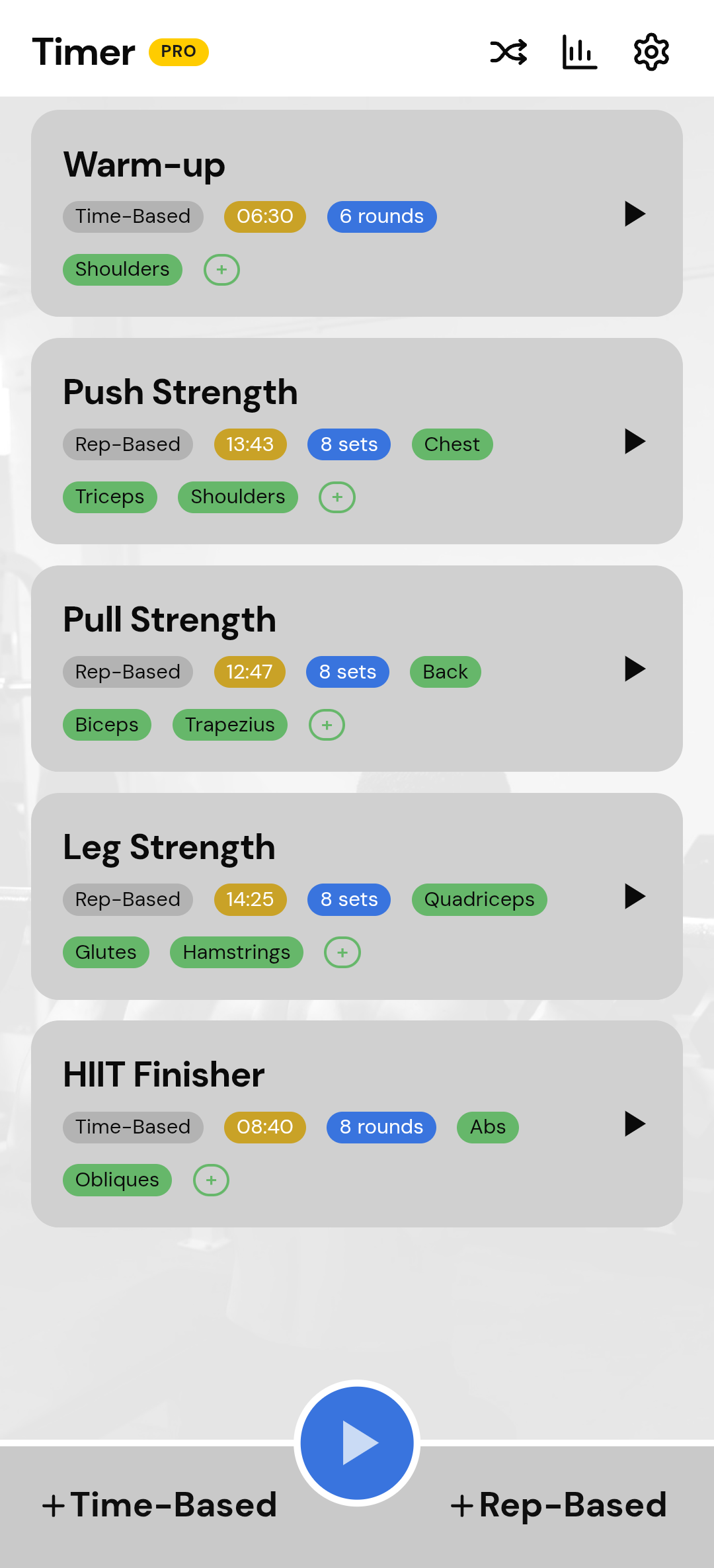
- Glanceable tags. Every large and small accordion shows time, sets, rounds, reps, rest, and tempo as color-coded tags. Read a workout without opening it.
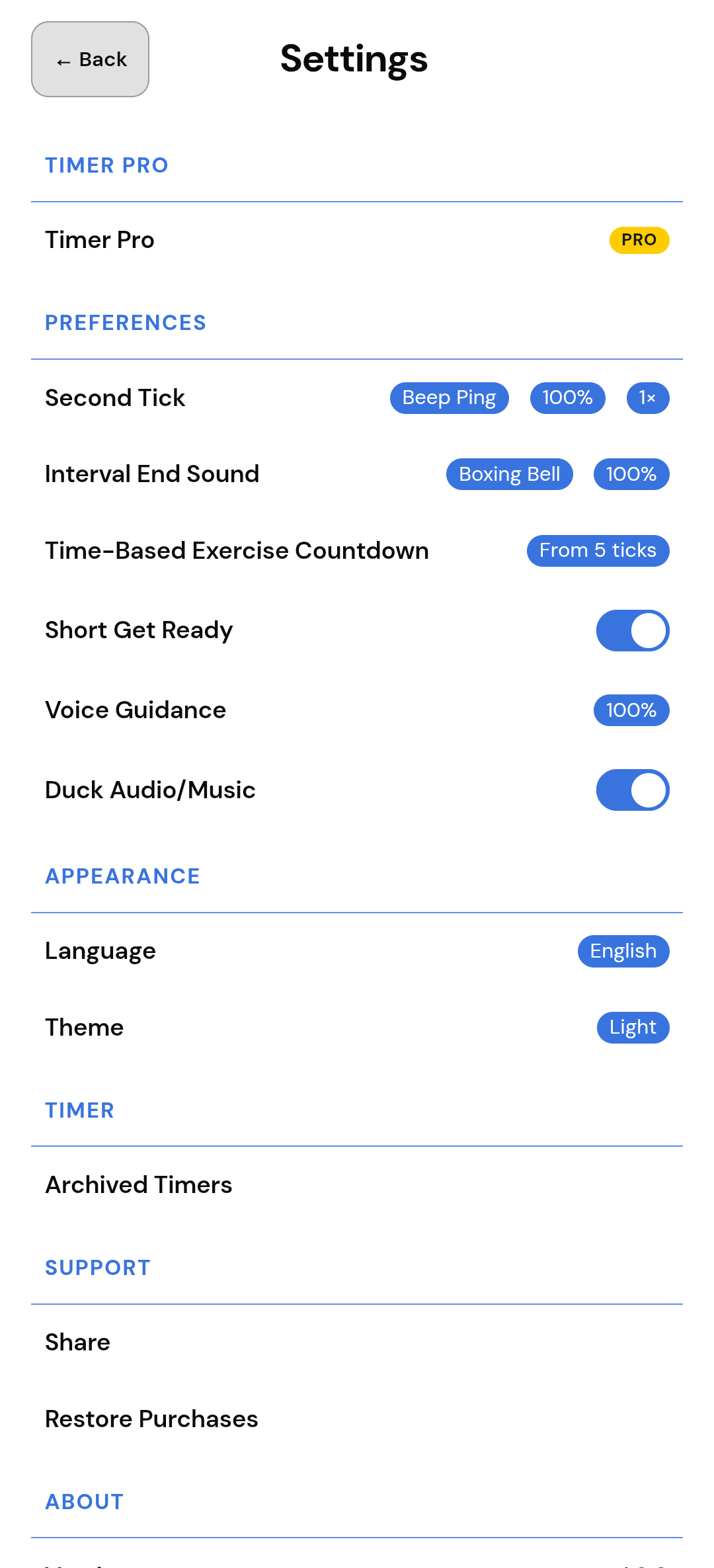
- Tick Speed. Speed the clock from 0.5× to 2×. Not the same as Tempo.
- Archive, don't delete. Move a timer to Settings and restore later. On Free, a restore still counts toward the 5-workout cap.
TIME, REPS, PLAY ALL
Chain Warm-ups to Main Sets in One Tap.
Designed for real-world routines that combine different training modes.
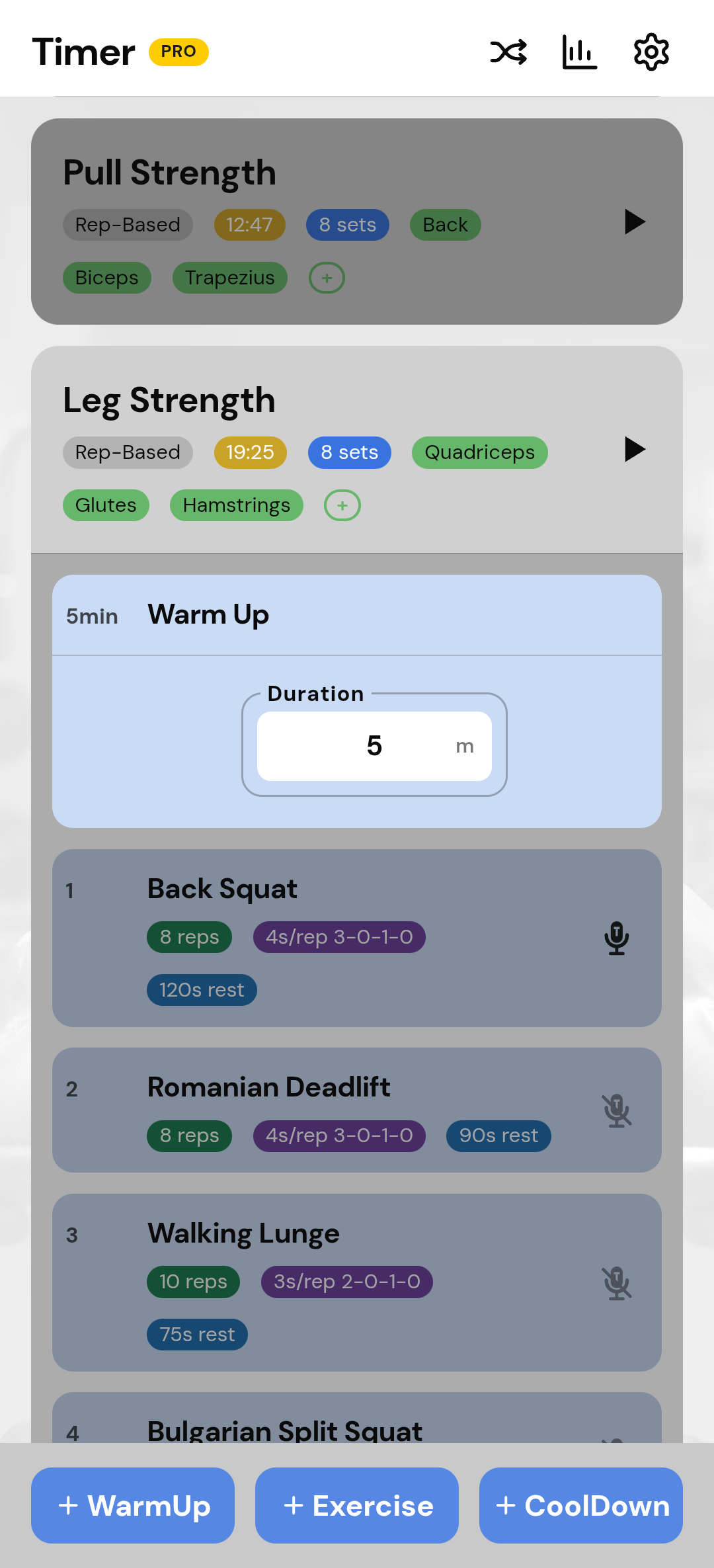
- Dual engine. Time-Based for second-accurate work/rest. Rep-Based for sets × reps with per-set rest.
- Play All. Chain a timed warm-up into a lifting main session in one run. EMOM here is a timed round, not a scoreboard.
BUILT FOR THE FLOOR
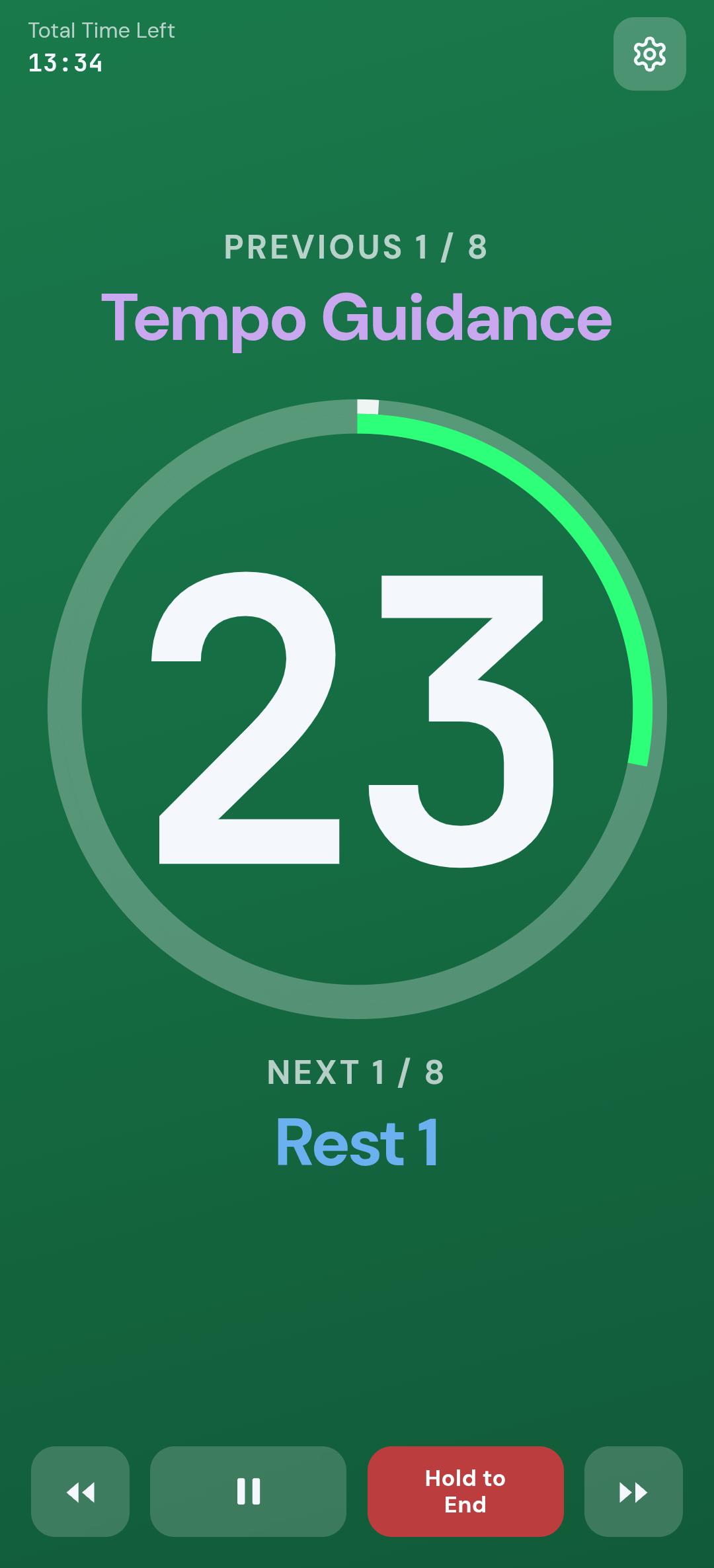
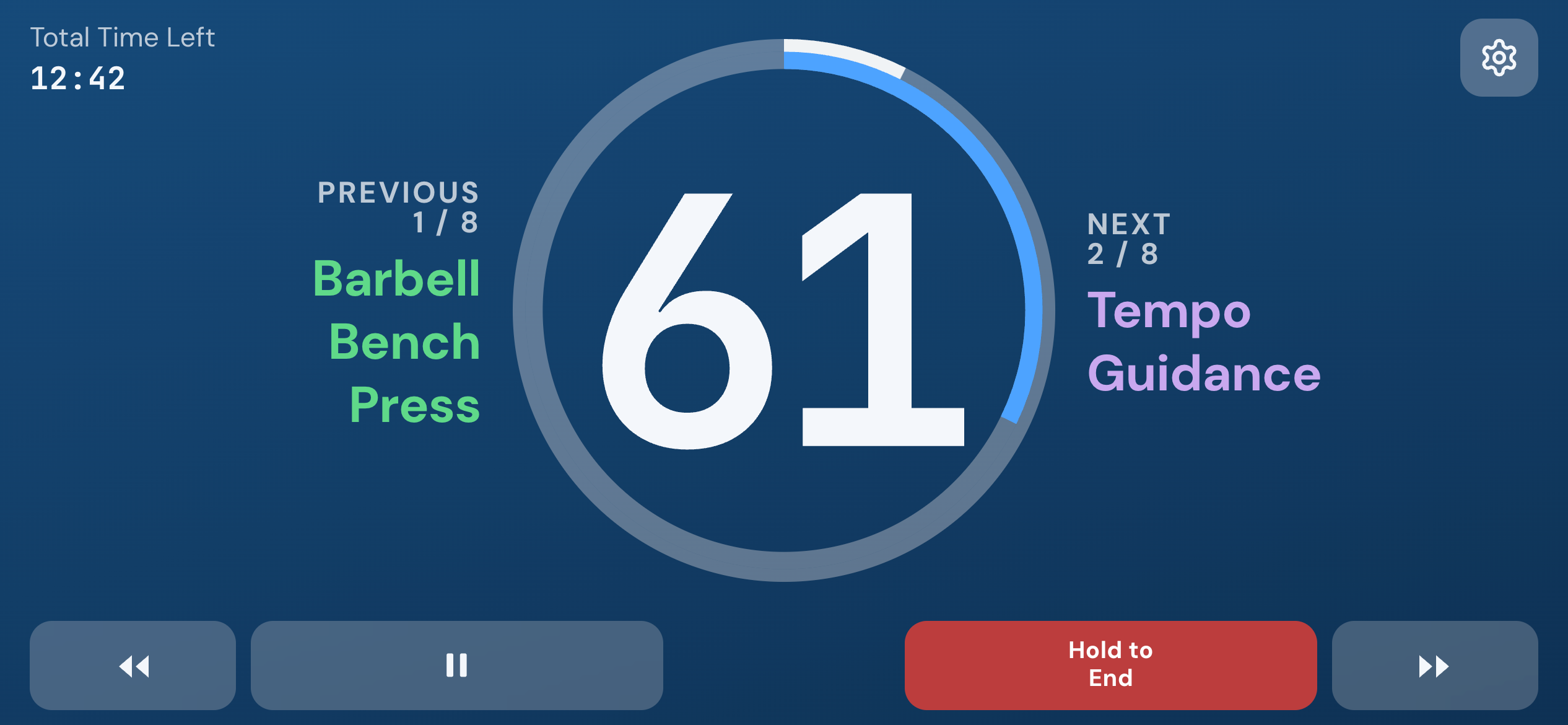
High-Contrast Display. Readable Across the Room.
Designed for maximum visual clarity during high-intensity sessions.
- Color coding. Work in bold green, rest in light blue, upcoming segments labeled.
- Landscape + stay-on. Screen stays on during a run. Landscape while mounted or on the floor.
4-PHASE REP TEMPO
Master Time-Under-Tension with Audio Cadence.
Most interval timers only count rest between sets. ailuv Timer counts the tempo of the rep.
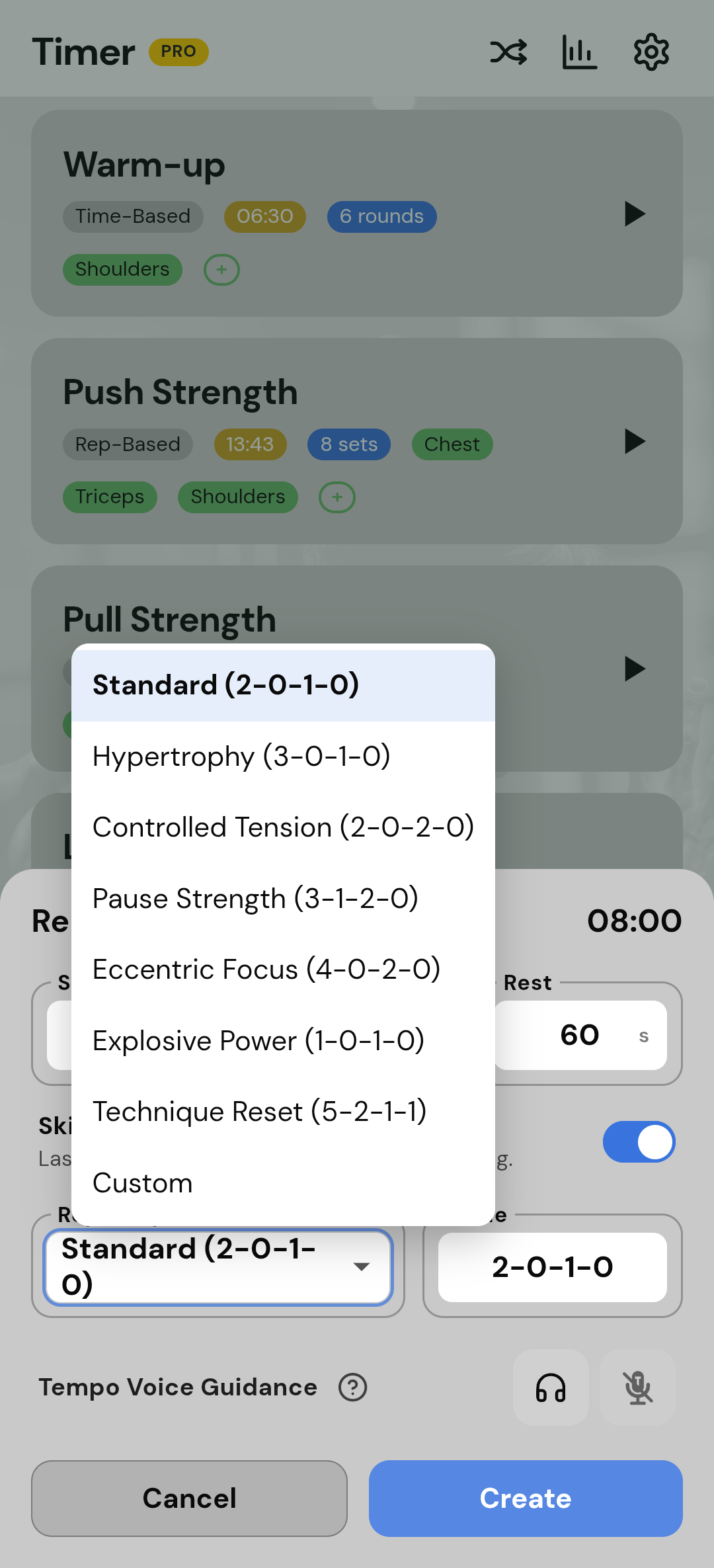
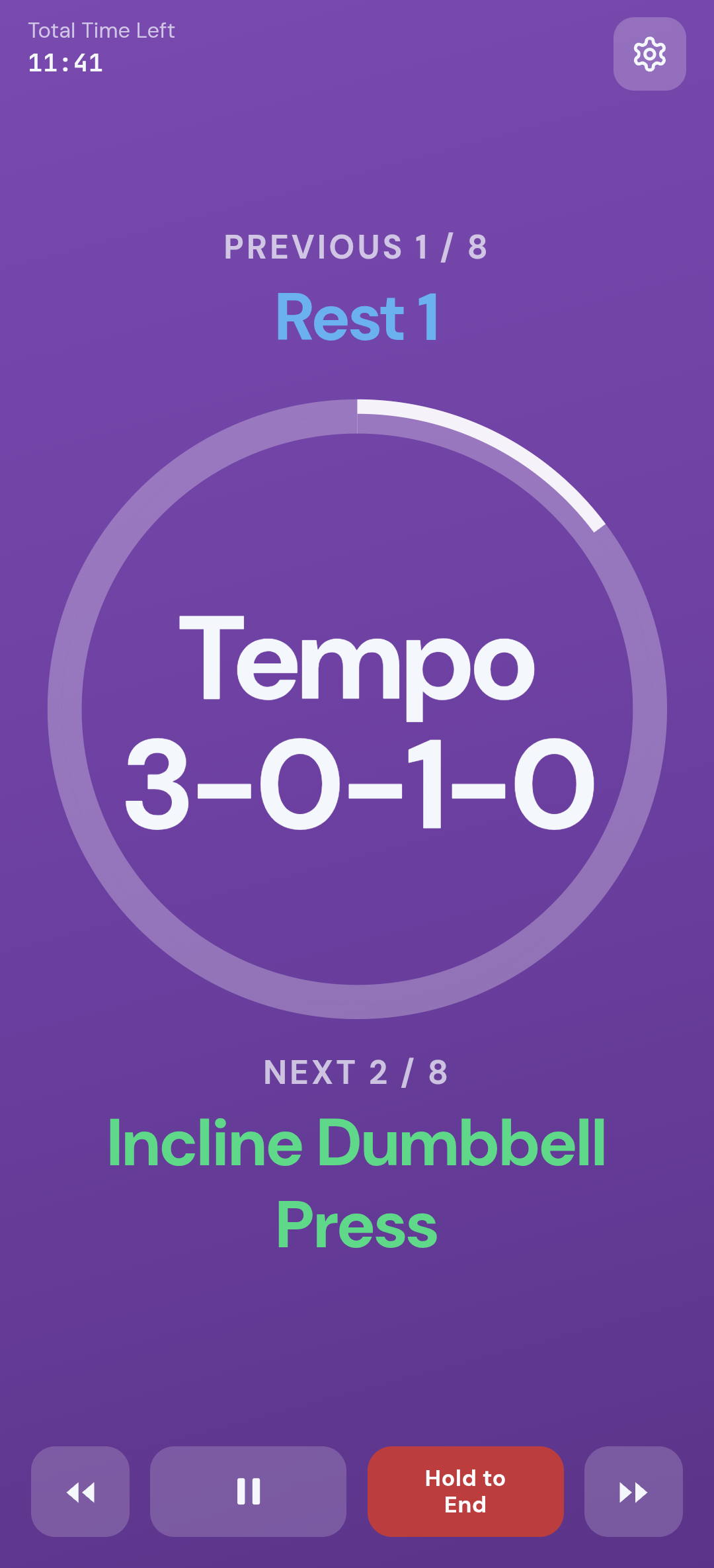
- Four phases. Eccentric, bottom pause, concentric, top pause—3-0-1-0, 3-1-2-0, or your own.
- Opt-in breath cues. Breath In / hold / Breath Out through each phase. Default is off.
- Presets. Standard, Hypertrophy, Pause Strength, Explosive Power. Tempo is not Tick Speed.
WORKOUT & RECOVER DASHBOARD
Track Weekly Effort & Recovery—Zero Logging Required.
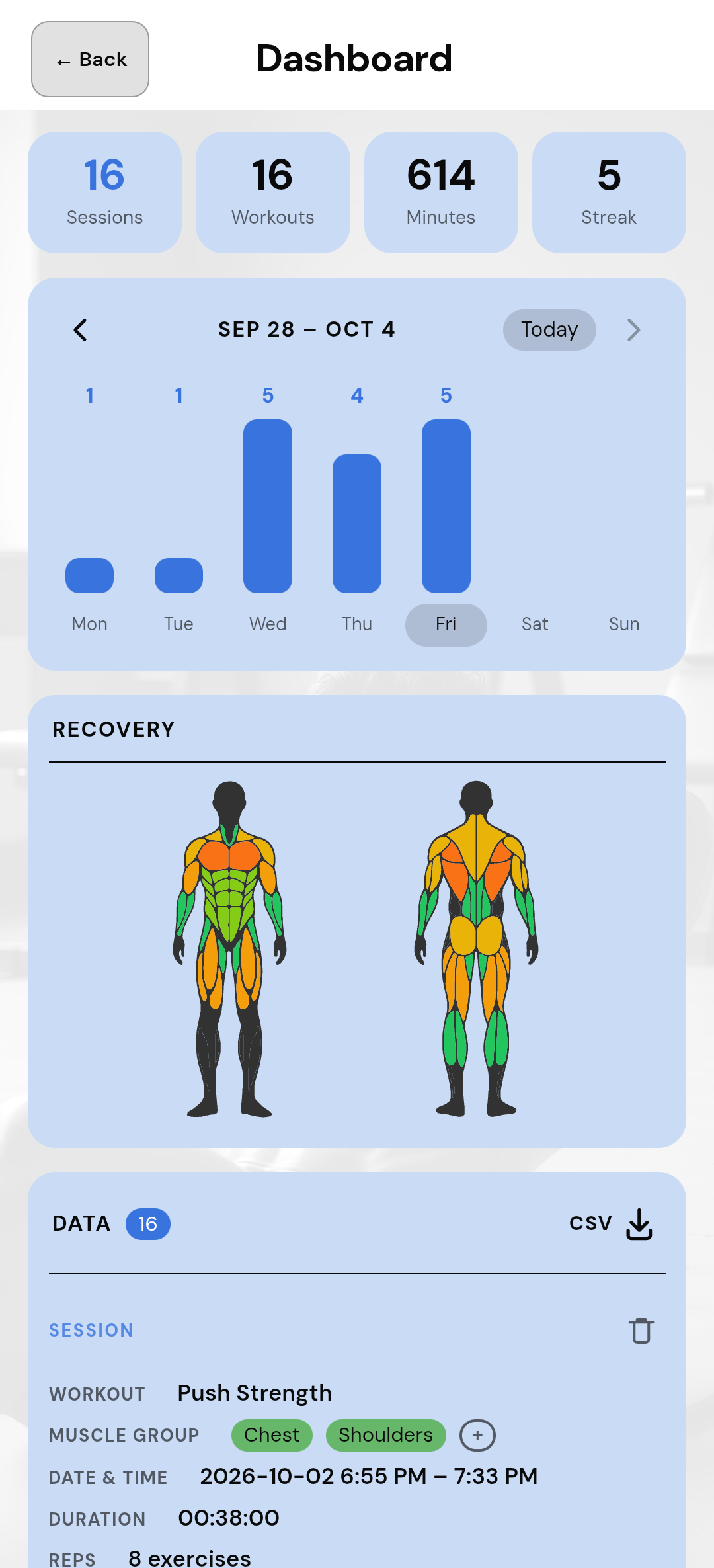
- At a glance. Weekly sessions, minutes, and streak on a bar chart you can page by week.
- Recovery map. Tag muscle groups (Timer Pro) for the last 72 hours. View without tags; it stays green until you do.
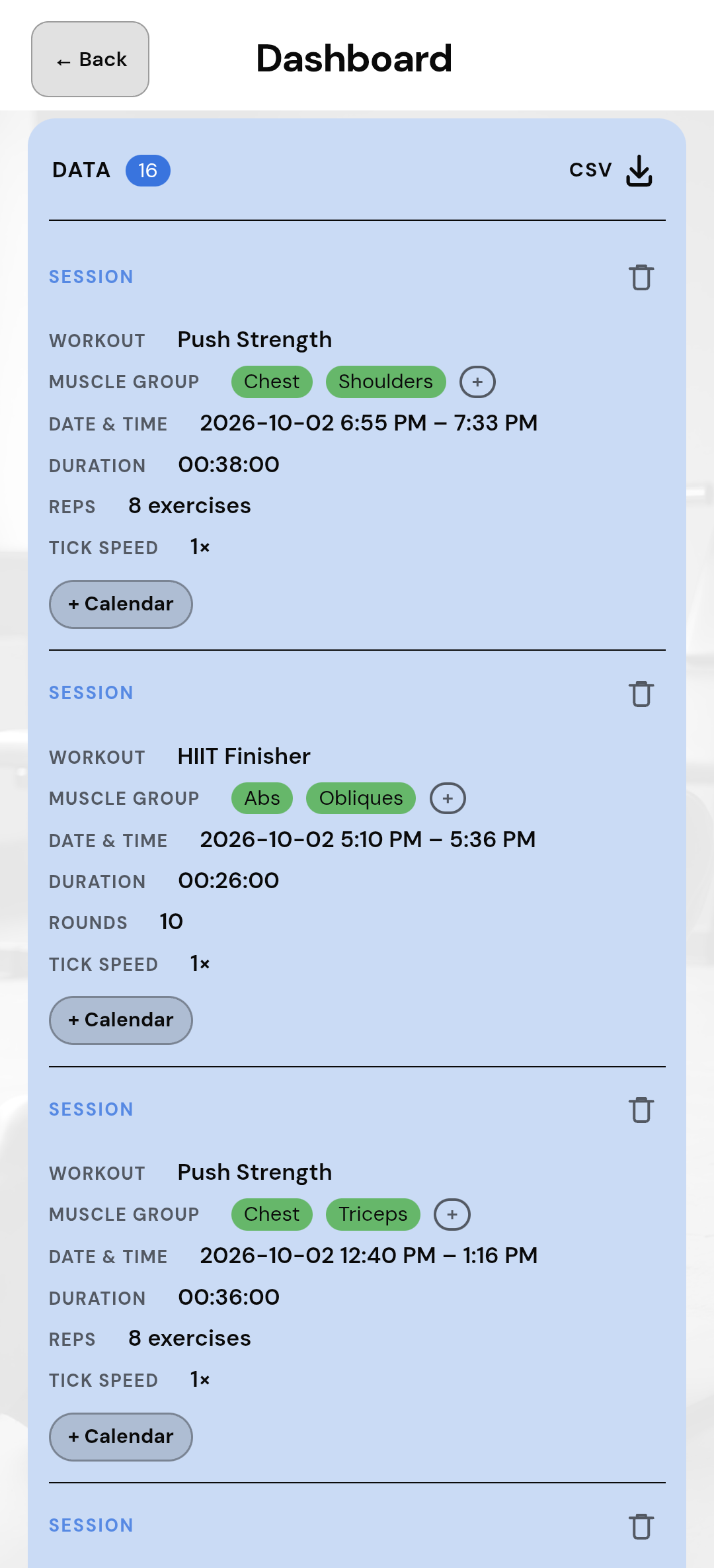
- Export CSV. Timer Pro downloads session history as a file on the device.
- Add to Outlook. Timer Pro opens a draft in your system calendar—Outlook, Google, or Apple Calendar. You confirm or cancel there. Nothing is added in the background.
- Zero bloat. No weights, sets, or RPE. Data stays on the device.
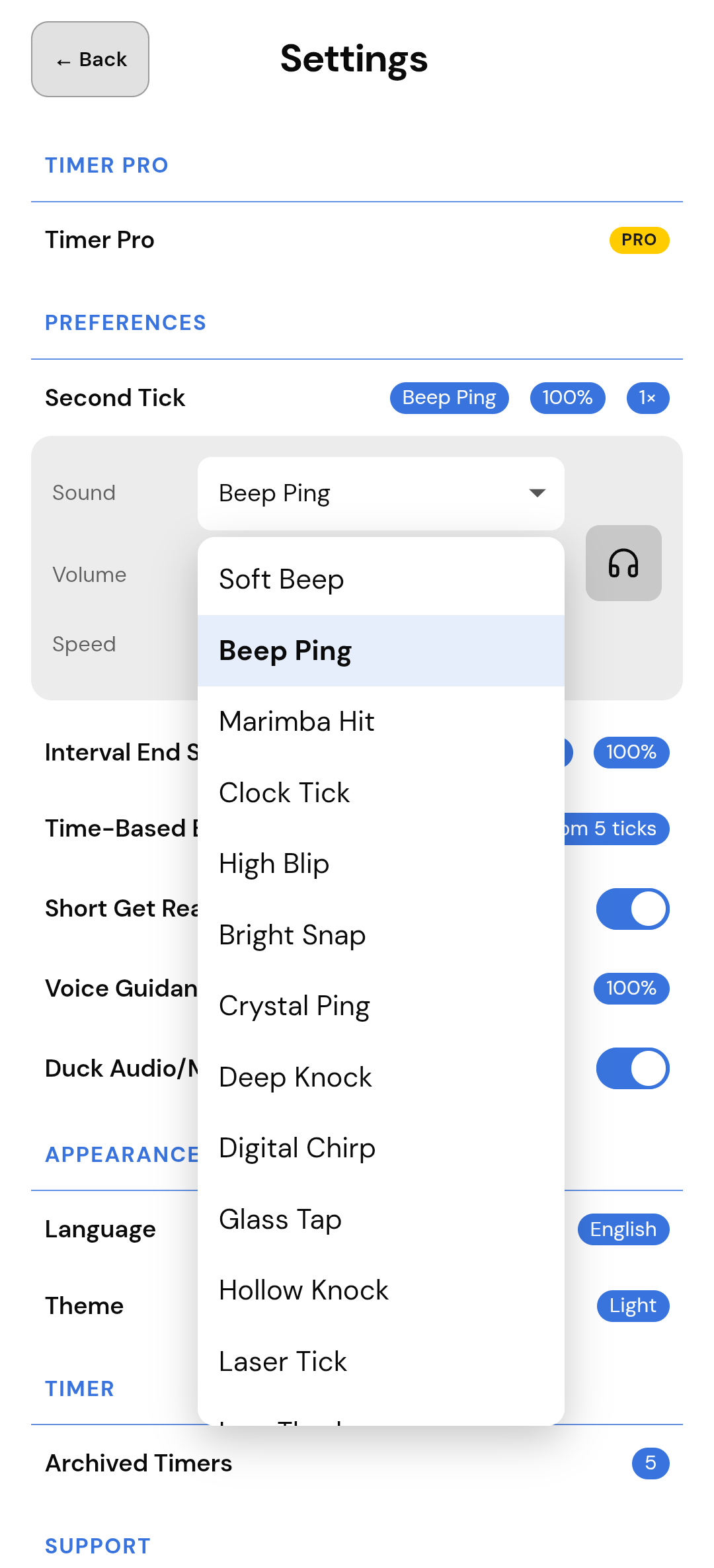
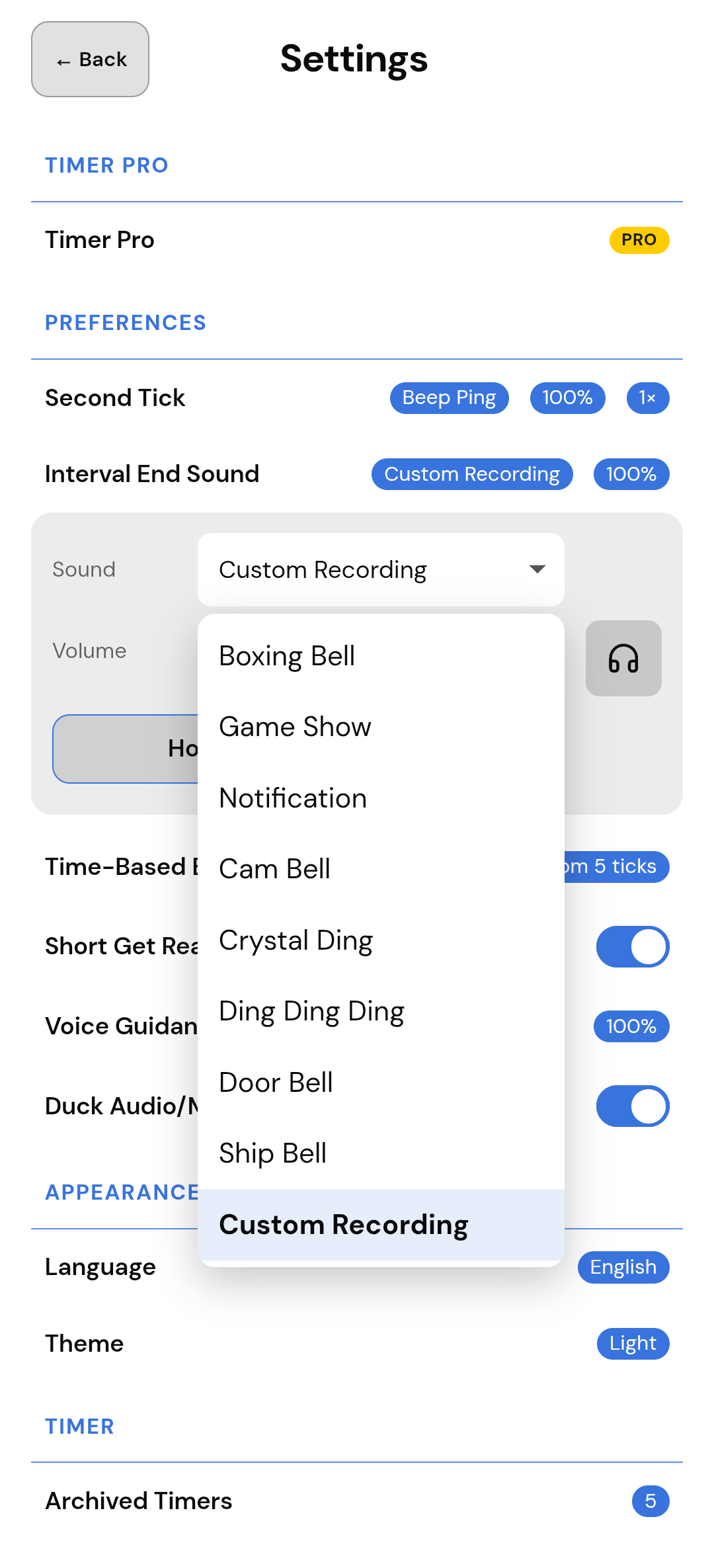
DISTINCT BELLS & SOUNDS
Audio You Can Tell From Every Other Beep.
- Recognizable cues. Free includes Boxing Bell, Game Show, and Notification.
- Custom recording. Timer Pro: a short clip stored on the device as your interval alert.
- Independent volumes. Voice, ticks, and interval-end have their own sliders—without rewriting how loud your music is.
SMART RESUME & SKIP
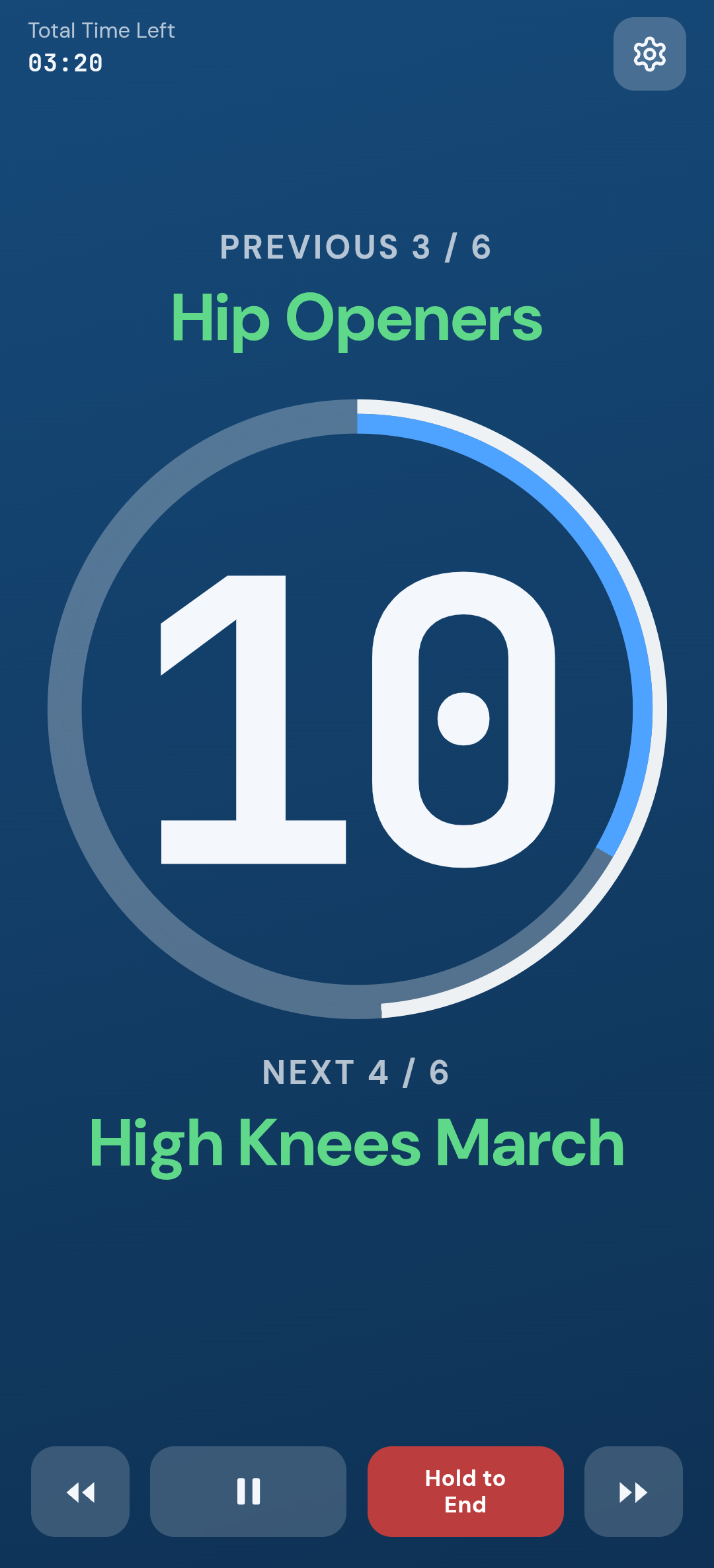
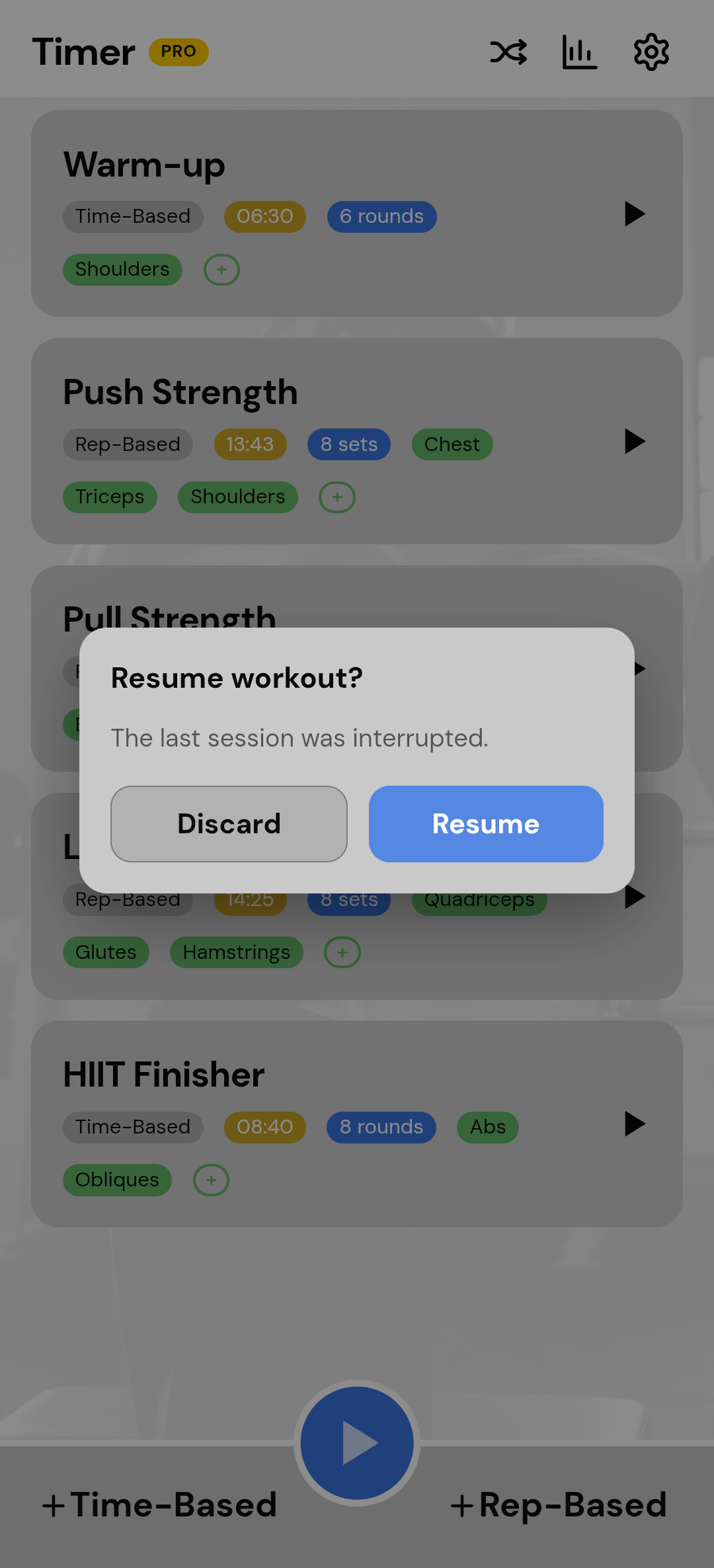
Miss a Segment. Never Lose Your Progress.
Built to handle mid-workout interruptions smoothly.
- Skip without killing it. Side arrows jump segments without ending the session.
- Resume or Discard. If the app is killed, relaunch and pick up—or start over. Not always back to zero.
THEMES & ANY SCREEN
Pick a Look. Keep It Readable on Phone, Tablet, Fold, or Split Screen.
Built-in palettes for the gym floor. The same timer stays usable when the window changes—phone, tablet, unfolded fold, or split screen.
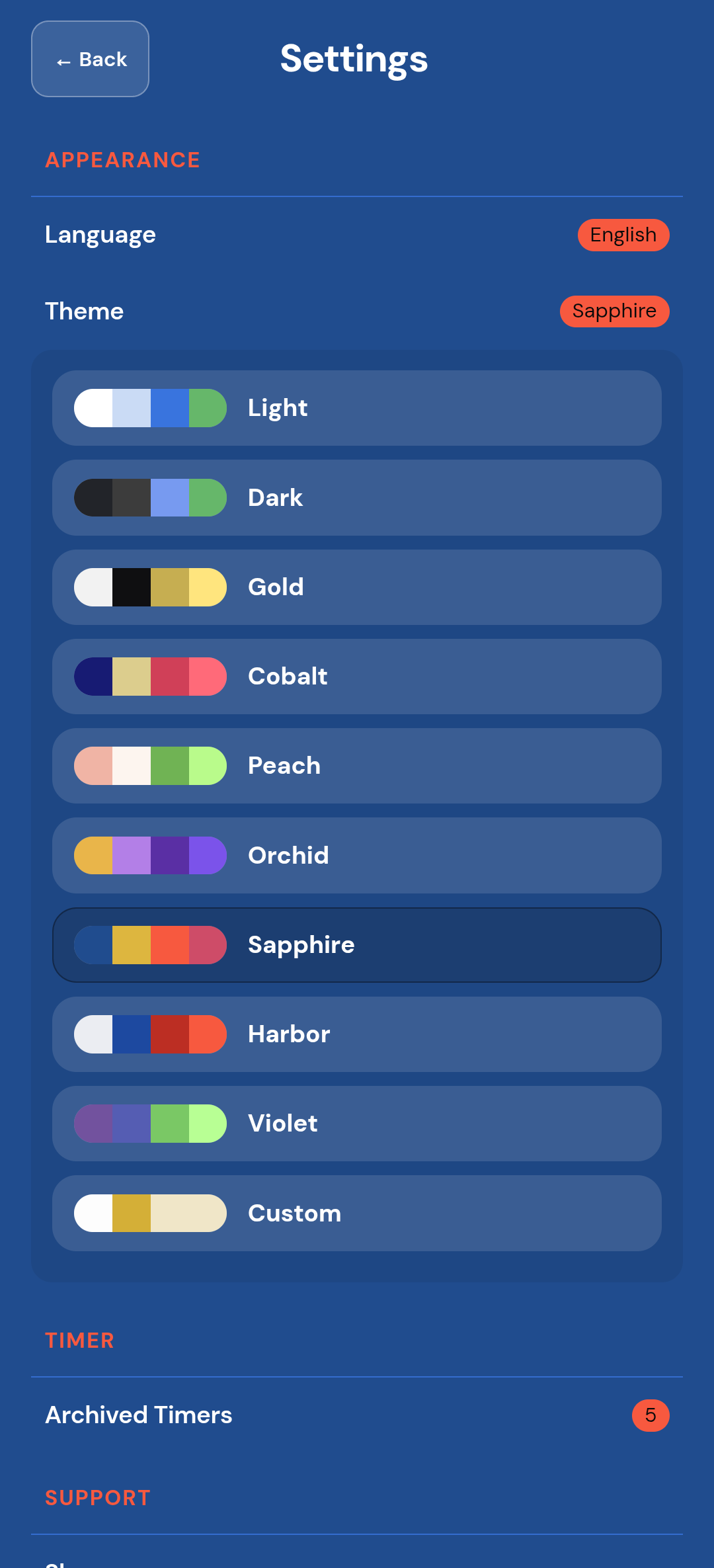
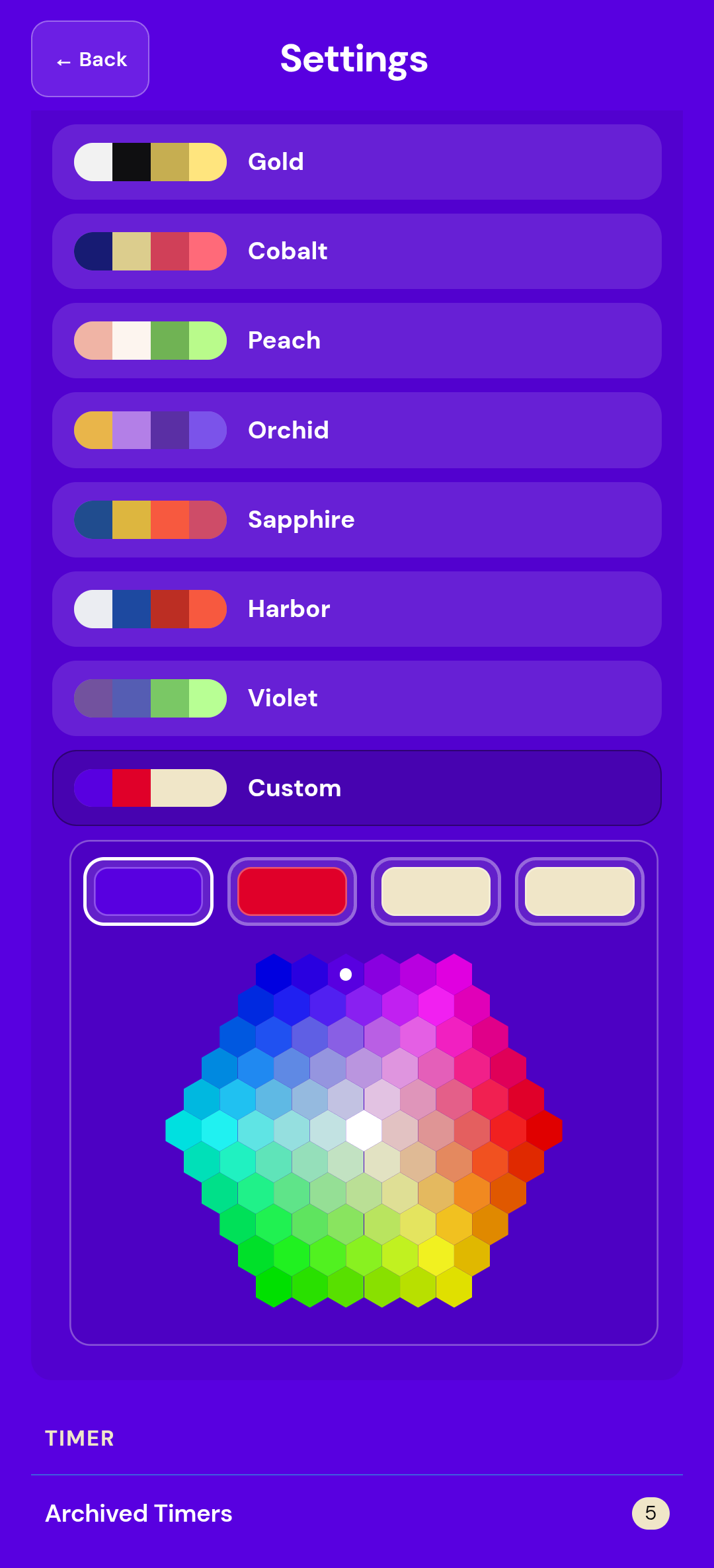
- Nine built-in themes. Light, Dark, Gold, Cobalt, Peach, Orchid, Sapphire, Harbor, Violet. Switch in Settings. Timer Pro unlocks a custom palette and accordion colors.
- Phone, tablet, fold, split screen. Unfold, go wide, or split the screen with notes or a video. The layout reflows to the window you have. No dual-pane gimmick—just the same timer, readable full-width or half-width.
- Fourteen languages. Switch the on-screen language in Settings. Voice cues stay in English.
ONE TIMER. EVERY KIND OF SESSION.
Built for Every Kind of Session.
- Strength & heavy lifting. Per-set rest. Optional breath tempo under the bar.
- Solo kettlebells. Spoken names tell you what’s next so the bell stays in your hands.
- HIIT & Tabata. 8×20/10 or your own work/rest, with halfway and last-seconds cues when the segment is long enough.
- Hyrox-style / mixed circuits. Name stations, set custom lengths, chain warm-up, main, and cool-down with Play All.
- Boxing rounds. 3 minutes on, 1 off, with a real boxing bell. Music is ducked, not cut.
- Bodyweight & home. Upcoming names spoken while the phone stays readable on the floor.
ZERO DISTRACTIONS
100% Ad-Free. 100% On-Device Privacy.
- Zero in-workout ads. No banners or pop-ups in a workout. Timer Pro is extras, not an ad-free upsell.
- On-device storage. Workouts, history, and settings stay on the phone. No sign-up, no login, no ailuv cloud. Uninstalling clears local data. Store purchases restore on the same store account; they do not cross stores.
- Native lock-screen path. Background audio on iOS and a foreground service on Android so lock-screen timing is the product, not a footnote.
This is an execution timer, not a coach and not a guarantee of performance.
Choose your tier
Timer Pro is a monthly or yearly subscription, or a one-time lifetime unlock. Prices are shown in Google Play and the App Store for your region.
| Feature | Free | Timer Pro |
|---|---|---|
| Saved workouts | Up to 5 (restoring an archive counts) | Unlimited |
| Play All | Yes | Yes |
| Timer, voice, and notifications during a run | Yes | Yes |
| Dashboard (view and delete sessions) | Yes | Yes |
| Restore archived timers | Yes (Home still capped at 5) | Yes |
| Edit muscle-group tags (Home and dashboard) | Read-only | Full edit |
| 72-hour Recovery map | View (colors only if tagged) | View + tag |
| Export CSV | No | Yes |
| Add to calendar (draft event you confirm) | No | Yes |
| Custom theme / accordion colors | Built-in themes only | Yes |
| Second-tick sounds | 5 | All |
| Interval-end sounds | 3 | All + custom recording |
| In-workout ads | None | None |
Frequently asked questions
- What types of training does ailuv Timer support?
- Strength rest between sets, kettlebells, bodyweight circuits, HIIT, Tabata, Hyrox-style mixed sessions, boxing rounds. Time-Based is second-based intervals; Rep-Based is sets and reps. Segments can be different lengths. Warm-up, main, and cool-down can be separate, then run together with Play All. Not a Pomodoro. Not a full training log. Not a coach.
- Can I listen to music (such as Spotify or YouTube) at the same time?
- Yes. Voice cues briefly duck background audio and restore. The track is not paused. The timer automatically pauses for a phone or video call, or if headphones disconnect.
- Does it work if I lock the phone?
- Yes. Lock-screen operation is the intended path: notification plus spoken cues, using native background audio on iOS and a foreground service on Android. Some Android battery settings can still kill background apps.
- Does the free version have ads?
- No. There are zero ads in any version. Timer Pro is unlimited workouts and extras, not an ad-free upsell.
- Is my training data stored in the cloud?
- No. Workouts and history stay on your device. No ailuv account, no sign-in, no cloud database. Uninstalling or clearing storage removes that local data. We cannot restore workouts from a server. Timer Pro restores from the same store account; Google Play and App Store purchases cannot restore each other.
- What’s the difference between Free and Timer Pro?
- Free: up to 5 workouts, full voice, Tempo, Play All, Dashboard, no ads. Timer Pro: unlimited workouts, muscle-group tags, CSV, add to calendar, custom theme, and all sounds including custom interval-end recording.
- Does Add to calendar sync my training log?
- No. Timer Pro opens a draft event in the system calendar. You confirm or cancel there. Nothing is added in the background.
- Can I cancel a subscription?
- Yes. Cancel Monthly or Yearly in Google Play or App Store subscription settings. Access continues until the end of the period you already paid. Lifetime is a one-time unlock. Use Restore Purchases on a new device with the same store account.
Support
Questions, bug reports, or feature requests: support@ailuv.biz. We aim to reply within two business days. Please include your device model, OS version, and app version (Settings → About). For subscription billing, refunds, or cancellation, contact Google Play or Apple App Store support — they are the seller of record and we cannot access your payment details. See also the privacy policy and terms of use.
Build it once. Put the phone down. Train.
Up to 5 workouts free · Zero ads · Workouts stay on your device